

Cloud security / report template
AWS Security Assessment Report Template & PDF Example
An AWS security assessment report explains how cloud configuration and access decisions affect the workloads an organization runs. This template places account scope, architecture, findings and control mappings in a report that security and platform teams can share.
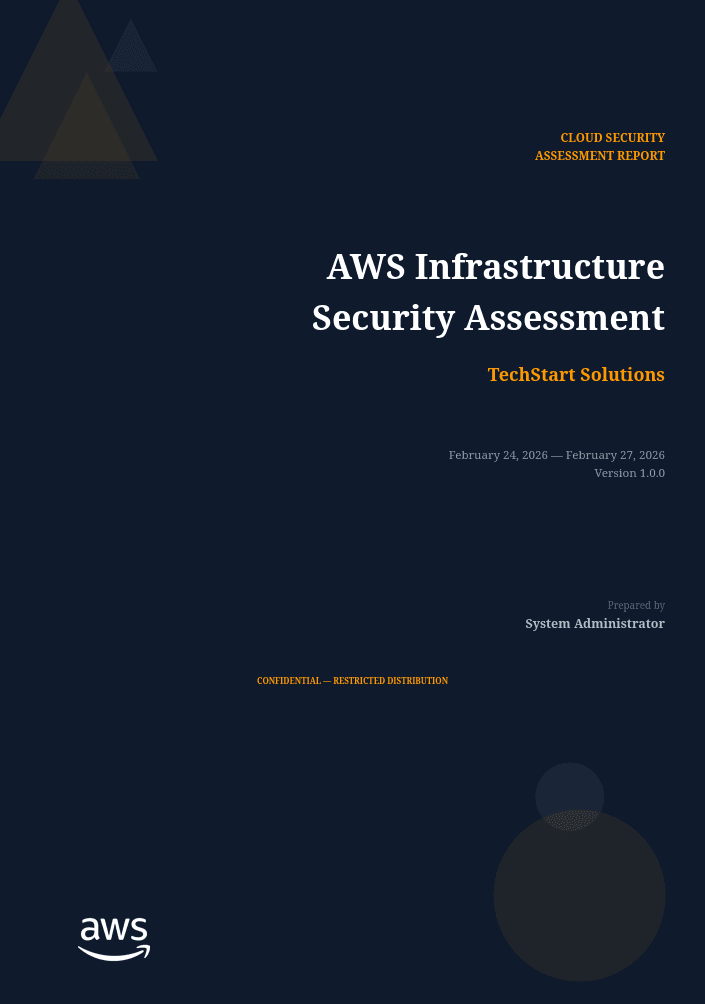
Turn cloud findings into an understandable delivery.
An AWS assessment report documents the security of the accounts, services and configurations included in an engagement. Readers need to know which environments were reviewed and how the available access shaped the assessment. Account and architecture context helps them connect a resource-level observation to the workload or shared service it supports.
This template gives cloud reporting its own structure: an executive risk dashboard, account and service scope, an environment overview, detailed findings and a control mapping section. Use it to give platform engineers precise context while keeping business impact and remediation priorities easy for security leadership to follow.
AWS Cloud Assessment: scope, evidence and references
The guidance below describes how to scope and document the work. It does not imply that every topic is covered by the sample PDF. Record the reference editions used in your own engagement.
Define the account and workload boundary
List account IDs, environments, regions, services and the assessment role. Identify shared organization services separately from workload resources. A region-limited review should not be presented as coverage of every region or of global IAM configuration.
Capture the evidence timestamp, resource identifier and configuration source. Distinguish infrastructure-as-code intent from deployed state, and record missing permissions or unavailable logs. The report should identify which controls belong to the workload team and which depend on central cloud governance or the service provider.
Assess effective permissions, not isolated policy statements
AWS evaluates a request using its context and applicable policy types. Identity policies, resource policies, permissions boundaries and organization policies cannot be interpreted as interchangeable grants. Explicit denies matter, and resource-based permissions require attention to the principal and request context.
Document which relevant policies were available for review. A permissive statement in one policy is evidence of a configuration, not by itself a complete conclusion about effective access. Explain the policy relationships behind the finding and the evidence needed to verify the intended restriction after remediation.
Keep architecture review and control assurance distinct
The AWS Well-Architected Security Pillar is useful for structuring architecture discussions and remediation across identity, data protection and security operations. Refer to the applicable practice rather than describing a report containing a mapping table as a certified Well-Architected assessment.
For storage, logging and recovery observations, state the affected resource population and the evidence reviewed. Enabled logging is not proof that events are retained, reviewed or acted on. A remediation entry should identify both the configuration change and the operational evidence required for closure.
Inside this example report
The 20-page PDF shows how the report is organized. Its example content illustrates the layout; adapt it to the scope and evidence of your own engagement.
- 01
Document control
Classification, handling instructions, document history and distribution details frame the report's delivery.
- 02
Executive risk dashboard
A narrative summary and severity breakdown introduce the findings and their business significance.
- 03
Accounts, services and architecture
Dedicated scope and environment sections describe the AWS accounts, service categories and architecture in scope.
- 04
Methodology and findings summary
An assessment approach, severity distribution and findings table provide context before the individual finding pages.
- 05
Detailed cloud findings
Finding pages connect affected resources and evidence with business impact, remediation guidance and supporting references.
- 06
Control mapping and appendix
A compliance gap analysis maps findings to applicable controls, followed by tool references and a severity mapping appendix.
Make the report useful to its readers
Anchor every finding to its environment
Record the relevant account, region, resource and workload context. Make it clear when several affected resources share one underlying issue so remediation work is not counted twice.
Separate observation from inference
Describe what the assessment established, what impact follows from it and what remains uncertain. State access or coverage limits that affect your conclusions about the wider environment.
Make control mappings traceable
Name the framework version and explain why a control is relevant to a finding. Validate every mapping against your evidence and give platform owners a clear reference for the proposed change.
Make it your own in Vulnotes
- 1
Download your template from Vulnotes Manager
Sign in to Vulnotes Manager, download this template and add it to your instance. Select it when creating a report to reuse its layout, report variables and finding sections. The public PDF shows an example of the finished output.
- 2
Let Vulnotes fill the connected variables
The template includes variables connected to your report: client details, engagement dates, findings and severity statistics where used. Vulnotes fills these from the data saved in your report. Add your findings and complete assessment-specific sections such as scope, analysis and conclusions; automatic population does not replace that work. Match the finding fields and categories expected by the template.
- 3
Edit the structure and visual design
Change page layout, orientation, margins, fonts, colors, branding, headers and footers in the template editor. Edit or replace tables, chart settings, images, code blocks and section labels. Heading numbering and the table of contents can be adapted to your delivery conventions. Text embedded inside an image must be changed in the source image or replaced.
- 4
Adapt the data bindings
Report variables hold engagement-specific content. Finding loops and filters control repeatable sections; charts and score tables can use report data. Review these bindings when renaming fields or changing the finding structure. Individually authored slide summaries still need editorial updates when findings change.
- 5
Write, review and deliver
Create your report with its client, scope and dates. Replace the example content, add your findings, review the preview and export the finished document.
Common questions
What belongs in an AWS security assessment report?
Describe the accounts, regions, services and assessment access in scope, then present the architecture context, findings, impact and remediation priorities. Resource references and clear ownership help teams turn the report into planned changes.
Can I use this for a multi-account AWS environment?
Yes. The template provides an accounts-in-scope table and an environment overview suited to documenting multiple accounts. Populate both with your actual environments and explain any excluded accounts, regions or services.
Does the control mapping establish compliance?
No. It connects reported findings to selected controls. A complete compliance conclusion needs the relevant assessment scope, requirements, evidence and review; a report template alone cannot provide that conclusion.
Is the AWS PDF the editable template?
The PDF is a populated example. Download the reusable template from Vulnotes Manager, add it to your instance and use it for your reports. Vulnotes fills connected variables from your report data. Match the expected finding fields, complete the assessment content and customize the layout.
What export formats are available in Vulnotes?
Vulnotes exports reports as PDF, editable Word documents (DOCX), Excel spreadsheets (XLSX), structured report data (JSON), and ZIP archives containing the report PDF and attachments, with optional password protection. XLSX lets you select finding fields and report content sections. You can also export selected findings as a partial PDF or DOCX report. The client portal additionally offers CSV exports of findings when enabled by the administrator. Read the export documentation.